The language could not be changed while preserving your draft. Your content remains on this page; send or copy it before switching.
TEAM option
When operations run through phone calls, messages and several apps, confusion grows.
DISPO+ TEAM combines jobs, scheduling, team coordination and related administration in one clearer system. Less retyping, fewer calls, less switching between tools and better oversight of who handles what. Enter an email address and password; the system handles technical configuration.
Team coordinationRoles and audit trailFind information quicklyCustomisable interface
Where TEAM adds value
Less confusion between people and clearer operational management
As information fragments across calls, spreadsheets and messages, unnecessary administration grows. TEAM makes sense where coordination, responsibility and oversight need to be unified.
Work scheduling without another application
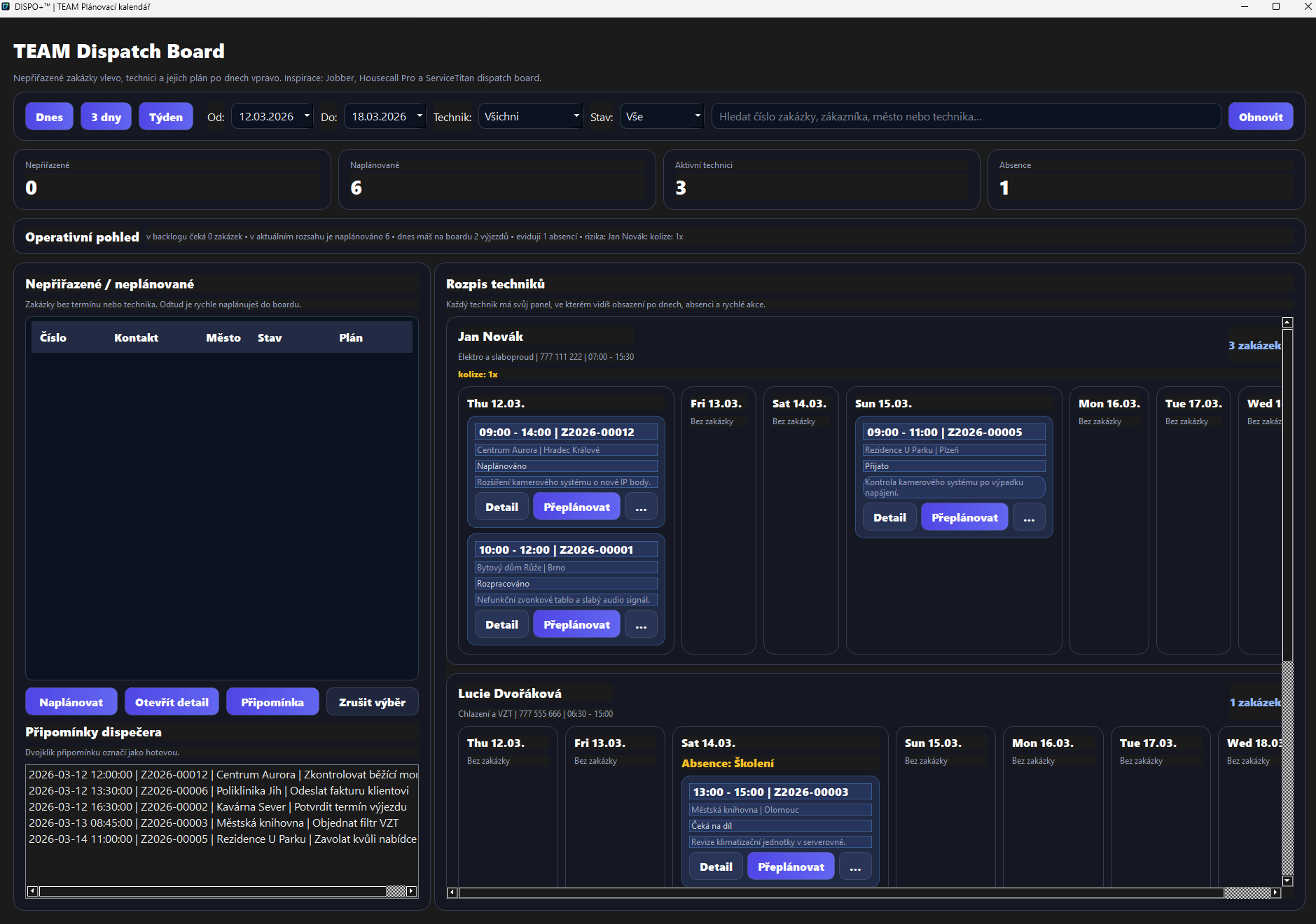
See what is happening when and who is handling it, with plans, appointments and dependencies in one place.
Schedules by day and technician
Quick access to information across jobs and history
Clearer appointments and dependencies
Roles, responsibility and oversight
Not every user should access everything. TEAM keeps track of who handles what and who can change it.
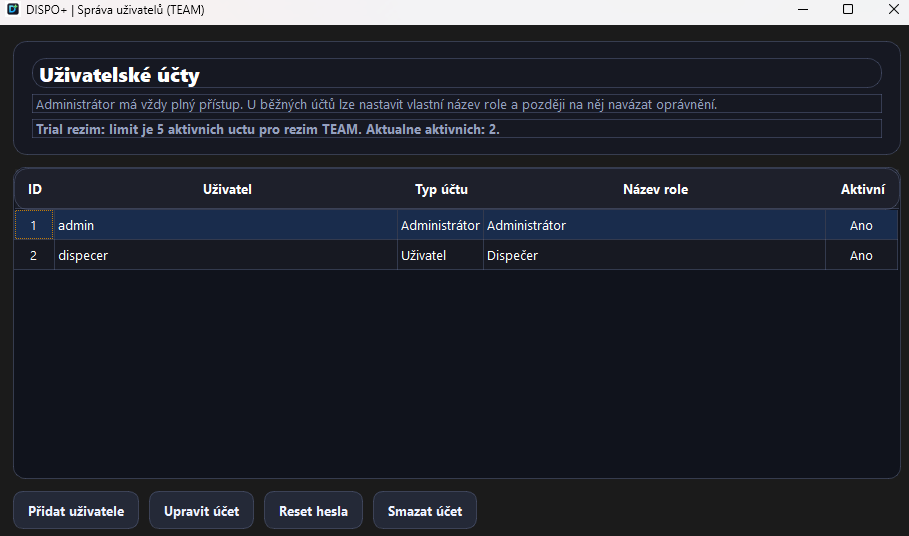
Administrator, user and custom role names
Permissions for specific features
Safer operations and fewer errors
Audit trail
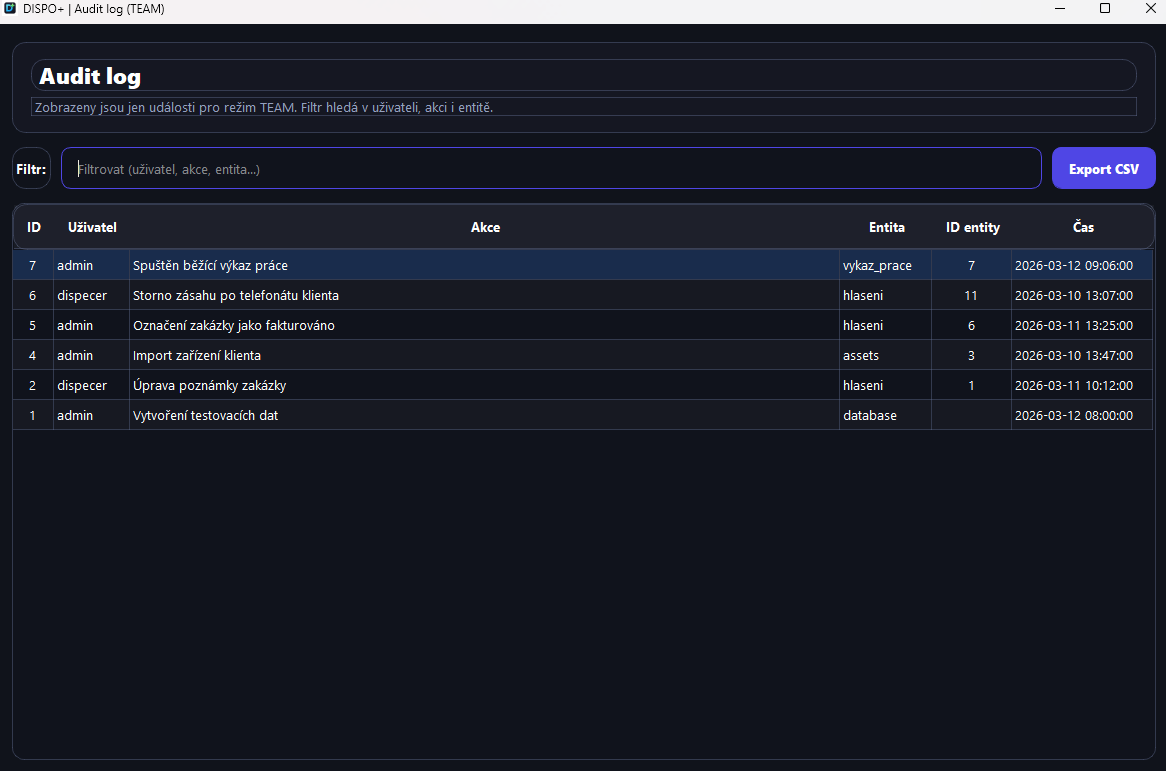
Important changes show the user, action, entity and time. This is essential for traceability.
Audit of key actions
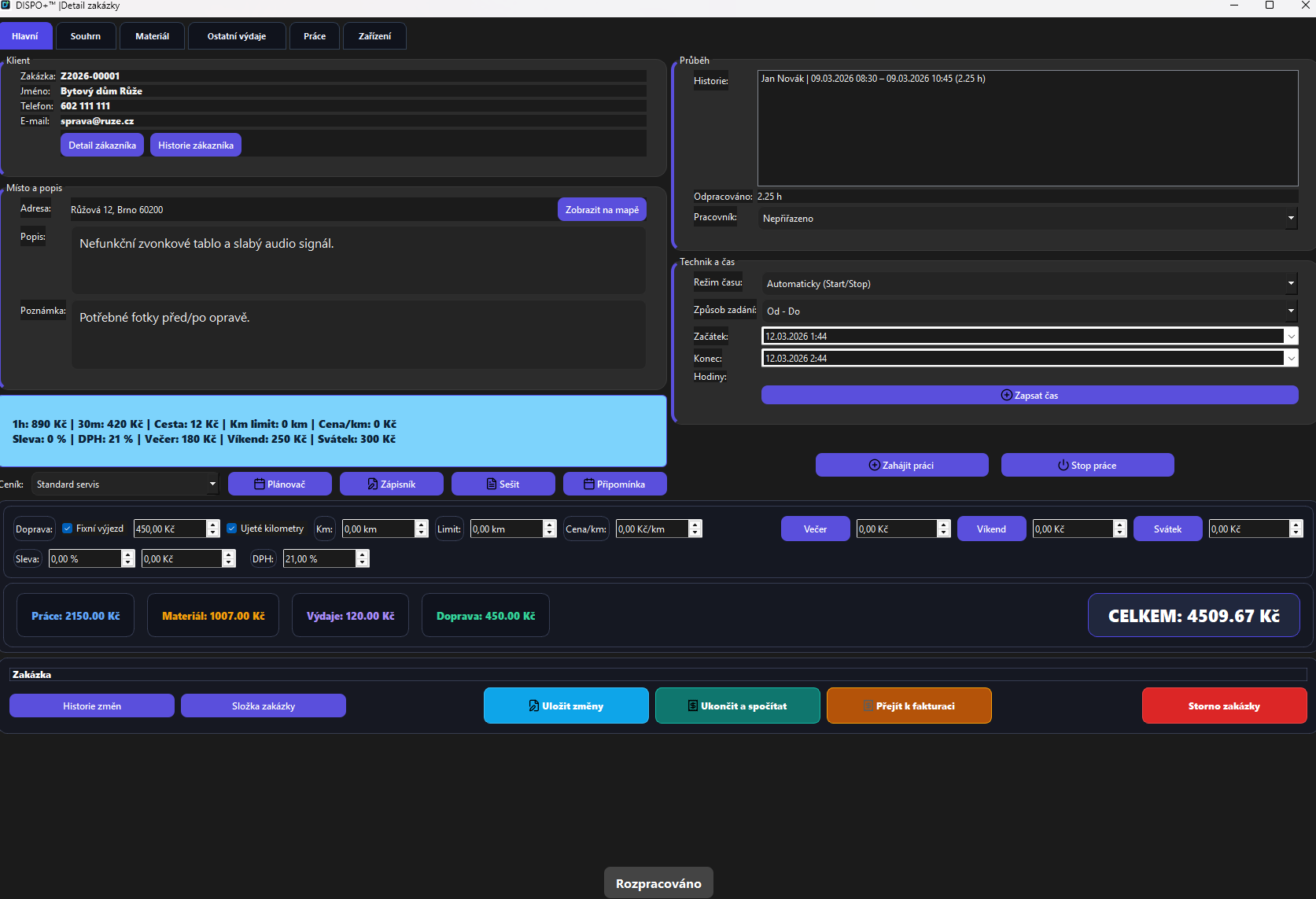
Job change history
Clearer oversight for management and support
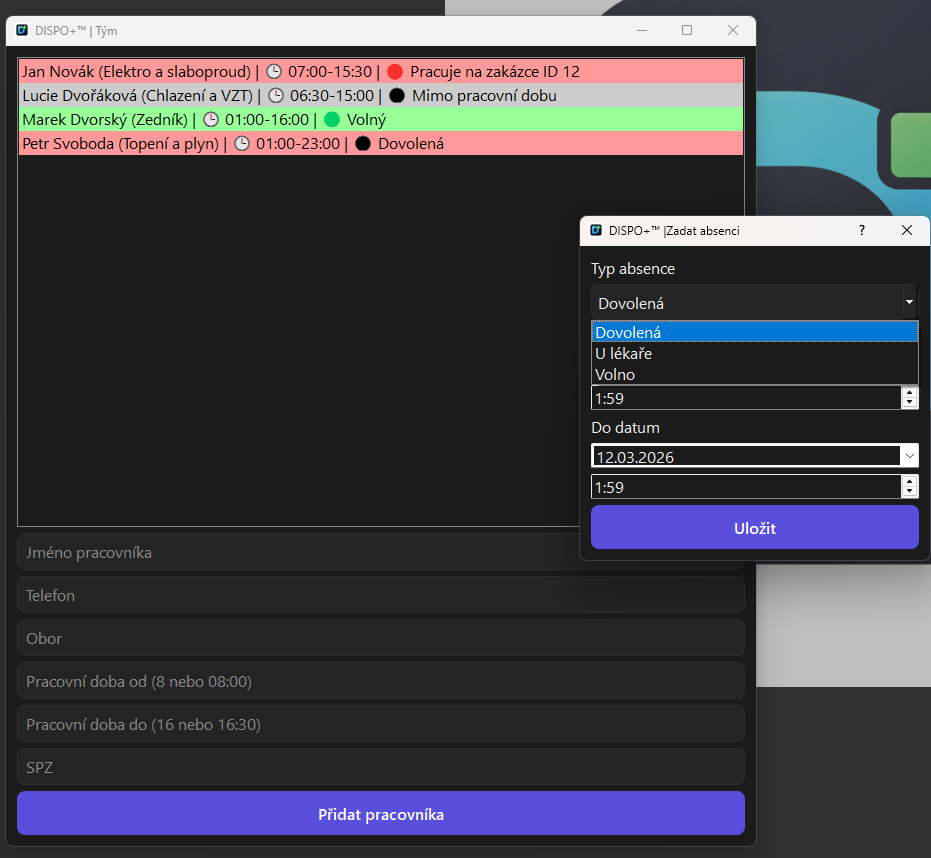
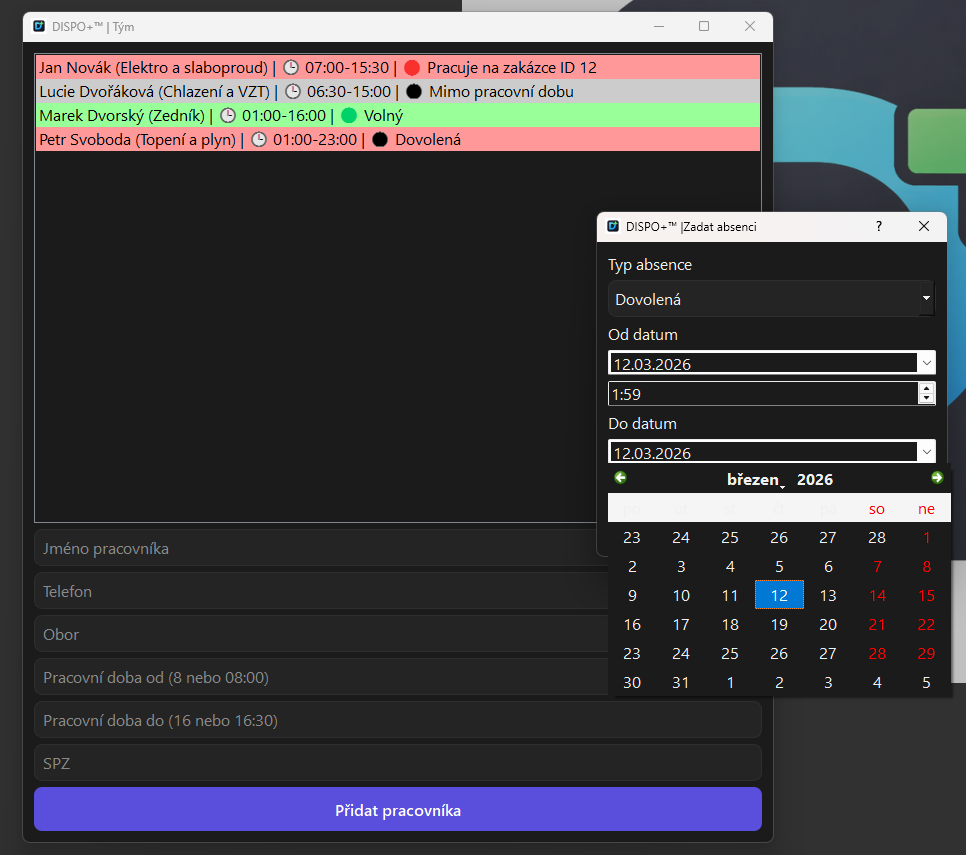
Team availabilitySee who is working, available, off shift or absent.
Operational oversight
TEAM is about coordination and accountability as well as multiple accounts.
As a company grows, knowing the number of jobs is no longer enough. You need to see who is handling what, who is available, where pending work is accumulating and the actual state of operations. TEAM therefore provides dedicated team availability, absence and dashboard screens.
Current team status on one screen
Absences and calendar planning
Links to specific jobs and dispatch management
Actual screens
Team coordination with fewer phone calls
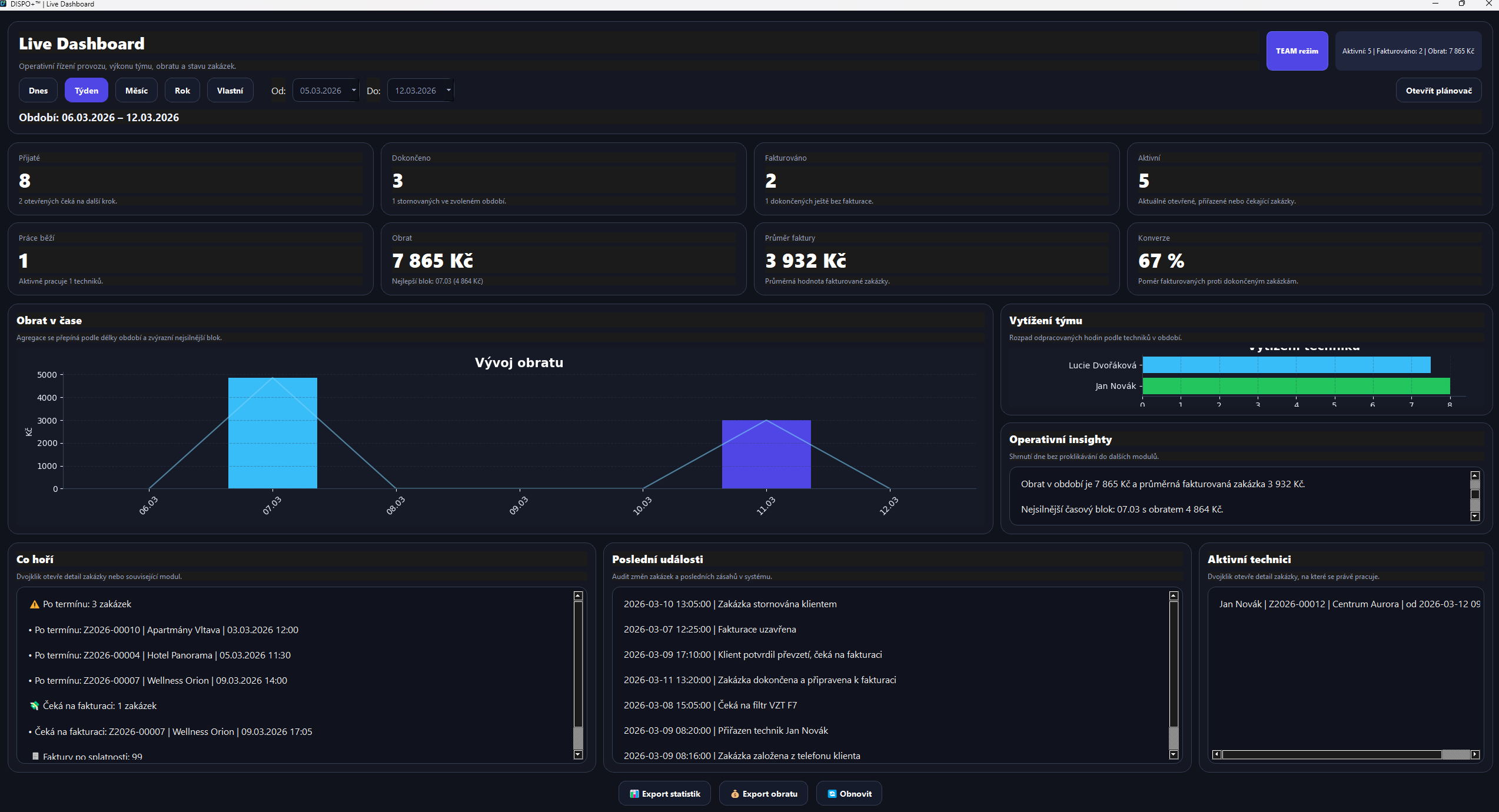
Dispatch boardTechnician schedule, capacity overview and dispatch management.Live dashboardTurnover, KPIs, active jobs and workload over time.Job detailsTime, worker, summary and delivery progress in shared operations.AbsencesPlanning holidays, time off and team conflicts.Account managementUser roles, active accounts and operational settings.Audit logTraceability of key actions across jobs and modules.
When to deploy TEAM
“When it matters who is responsible for incoming jobs, who should handle them and what has changed.”
Multiple technicians or dispatchers working with the same data
A need to distinguish permissions and trace changes
Company growth and pressure for better capacity planning
Greater management and reporting needs
DISPO+ TEAM
A variant for companies seeking one clear view of people, jobs and responsibility instead of scattered tools.
Multiple users sharing a database
Dispatch board, workload and absences
Roles, permissions and audit trail management
Live dashboard and operational reports
Individual quotation
Start with SOLO and grow later. Switching makes sense when you need to manage more people and responsibility.
DISPO+ 2.0 connects jobs, technicians, work reports and materials with TECHNIK PC 1.0, TECHNIK Android 1.0 and DISPO Mobil 1.0.
DISPO+ 2.0 and apps for work outside the office
TECHNIK PC 1.0 and TECHNIK Android 1.0 give technicians their assigned jobs and work records. DISPO Mobil 1.0 gives an authorised manager a company overview and a personal work area. All connect to the main DISPO+ 2.0 application.
Technician work reports connect with the office
Technicians record work, materials and related expenses for their jobs on a PC or phone. Records are sent to the main DISPO application for the dispatcher to review and approve. Work information no longer needs to be retyped from separate notes.
Messages and tasks stay with the shared job
The dispatcher and assigned technicians exchange messages, instructions and tasks in the context of the job. Work information stays in one place for the office and the team in the field.
Team work reports, earnings and monthly settlements
Technician work connects with a work-report calendar, earning rates, advances and payouts. A monthly overview shows time worked, earnings and the remaining amount, with settlement history retained. The dispatcher has information to review the team, while technicians can see their own work.
Technical cookies support the website's operation. With your consent, we may load analytics and advertising tools that share data with their providers. Cookie details